
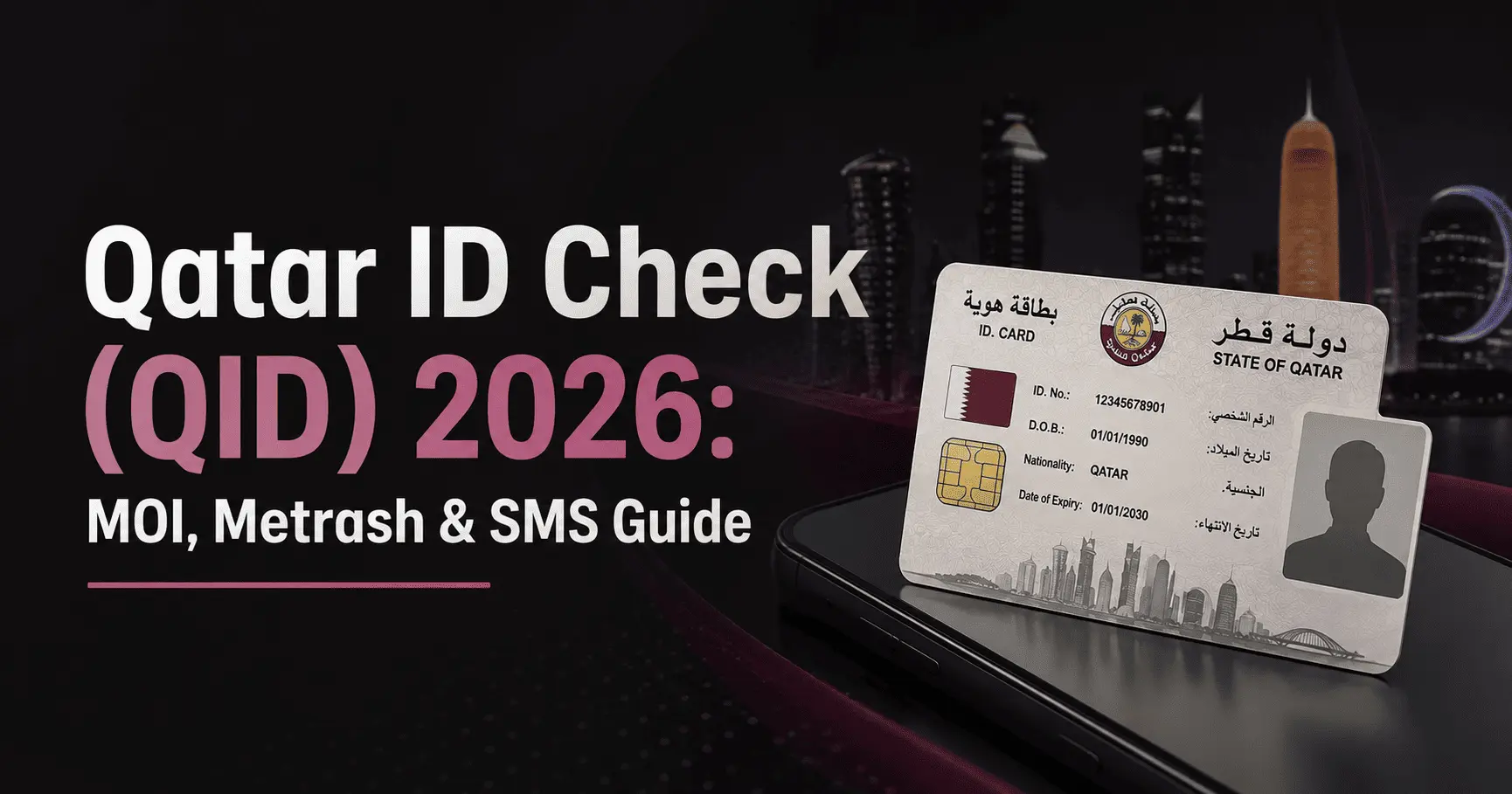
You’ve landed in Qatar, your paperwork is moving, and now someone at the bank, or your new landlord, or HR, has asked for your Qatar ID. Except you’re not even sure if it’s ready yet. If that’s where you are right now, take a breath, this is one of the easiest things to check yourself, and it takes less than a minute once you know where to look.
This guide walks through every way to run a Qatar ID check in 2026, whether you already have your QID number in hand, you only have your passport because the card hasn’t arrived yet, or you’d rather just check from your phone.
What Is the Qatar ID (QID), Exactly?
The Qatar ID is the plastic card issued by the Ministry of Interior (MOI) that confirms your legal residency status in the country. Every resident gets one, workers, family members, students, everyone, and it’s tied to an 11-digit number that stays with you for the life of that card. You’ll need it for almost everything once you’re settled: opening a bank account, signing a lease, registering for a Qatar Health Card, even getting a local SIM.
If you’re still waiting on your visa itself rather than your ID card, that’s a separate process, our guide on how to apply for a Qatar visa online covers the visa side before this stage.
Method 1: Check Your QID Using Your QID Number
This is the fastest route, and it works if your card has already been issued (even if you haven’t physically received it yet).
Step 1
Visit the official MOI portal at moi.gov.qa

Step 2
On the homepage, locate the Inquiries tab, usually marked with a magnifying glass or search icon
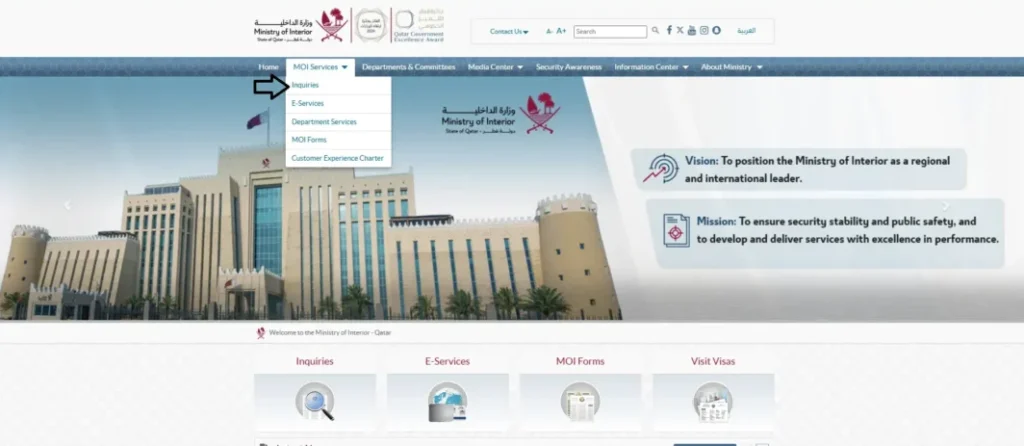
Step 3
Click on Inquiries to open the dropdown menu
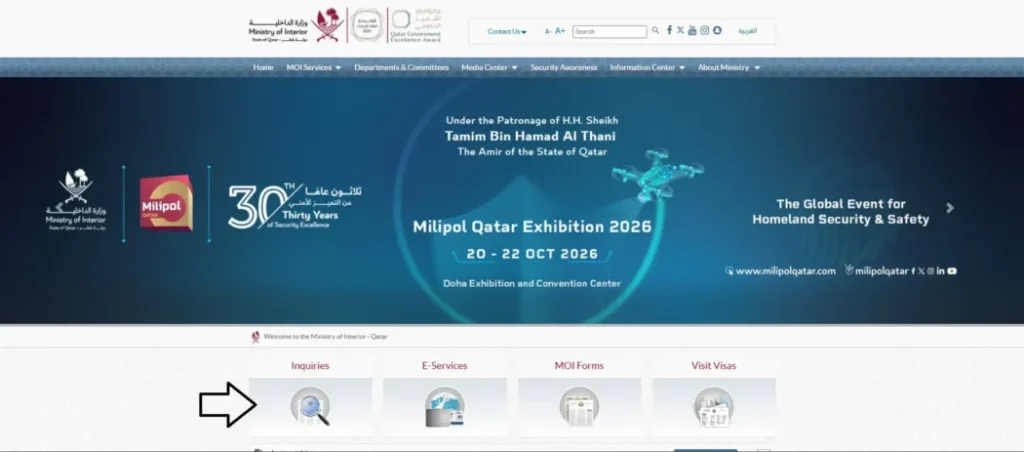
Step 4
From that dropdown, select Other Inquiries
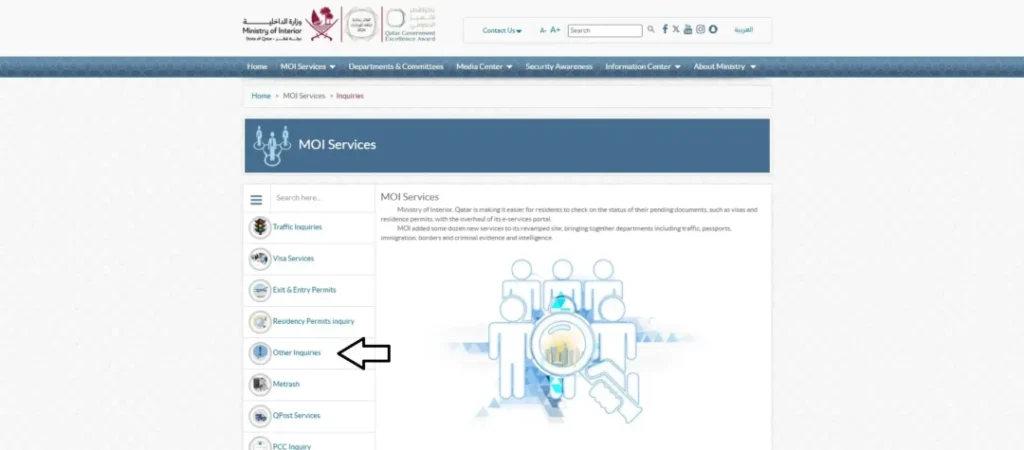
Step 5
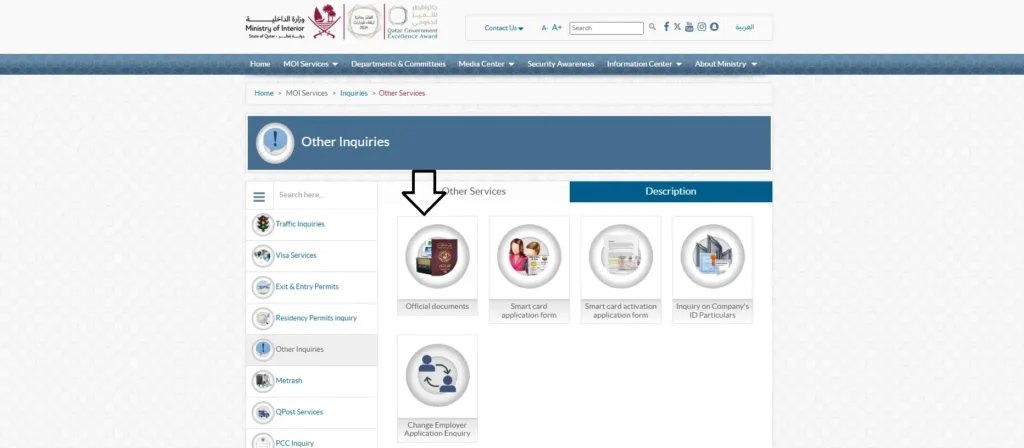
From the list of inquiry options that appears, choose Official Documents
Step 6
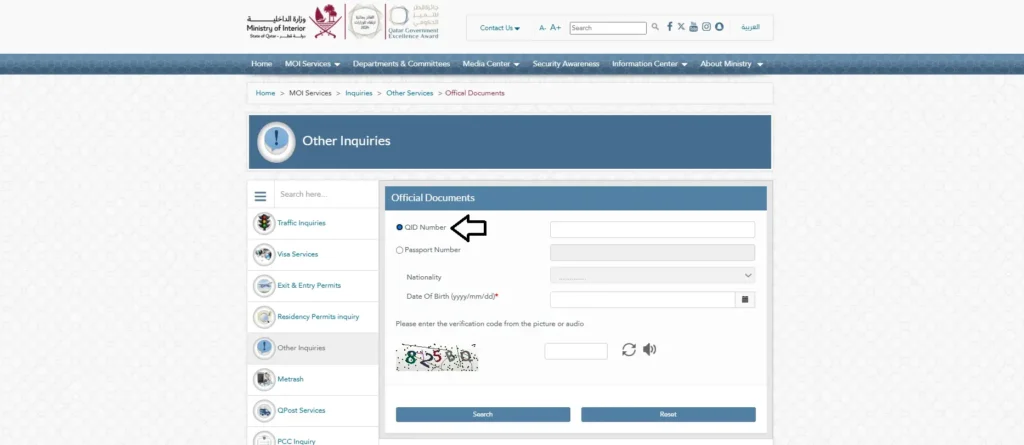
On the inquiry page, select the radio button for QID Number, Enter your 11-digit Qatar ID number exactly as printed on your card, with no spaces or dashes
Step 7
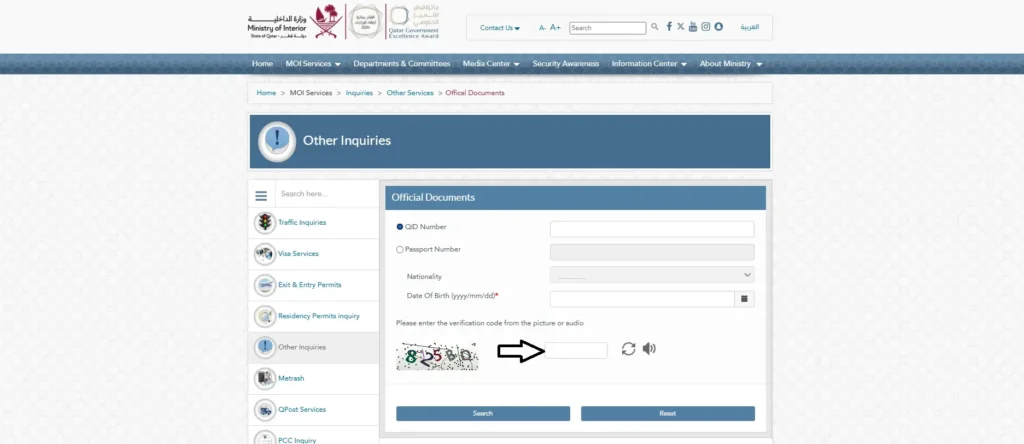
Look at the verification code (captcha) shown in the image or audio option. Type that code into the small verification box next to it
Step 8
Click the Search button to view your result
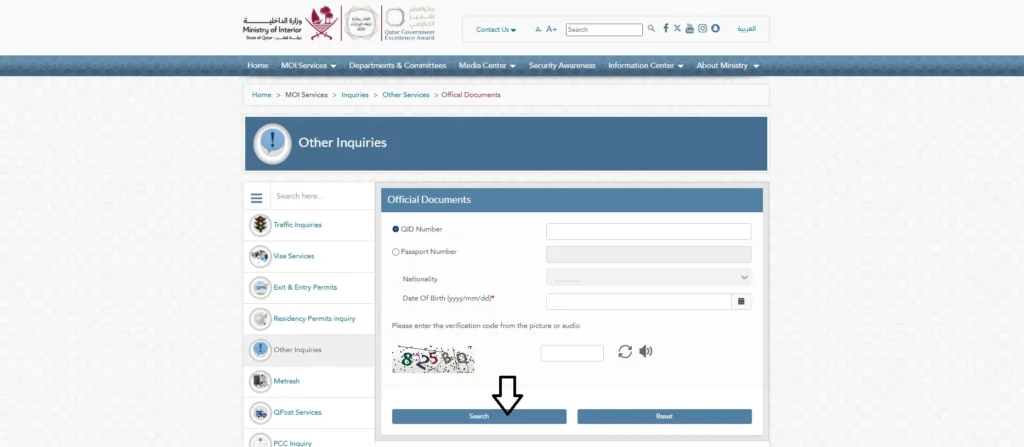
Your screen will instantly show your ID’s validity, expiry date, and current residency status. If nothing appears, or you get an error, double-check that you typed the number exactly, a single wrong digit is the most common reason this step fails.
Method 2: Check Your QID Using Only Your Passport Number
New in Qatar and haven’t received your physical card yet? You can still check your status using just your passport details, this is especially useful for recently arrived workers or family members whose card is still being processed.
Step 1
On the same MOI Inquiries page (Official Documents section), select the radio button for Passport Number instead of QID Number
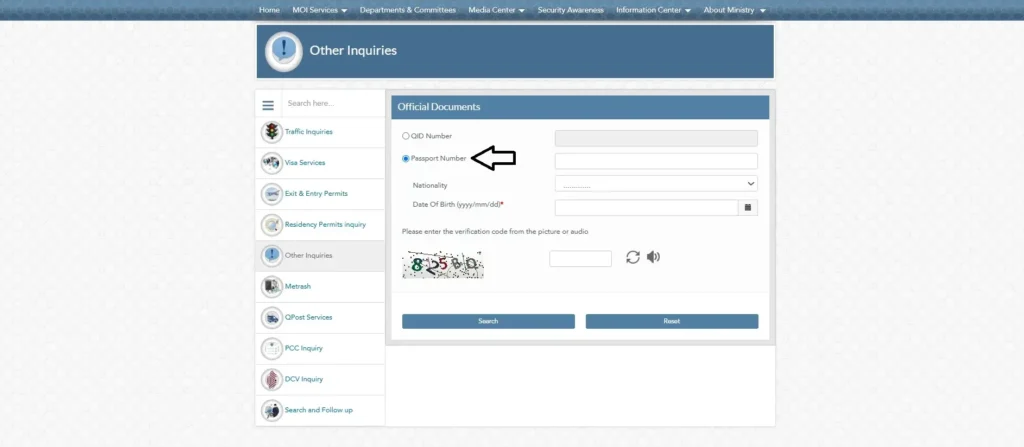
Step 2
Enter your passport number exactly as it appears on your passport, with no spaces
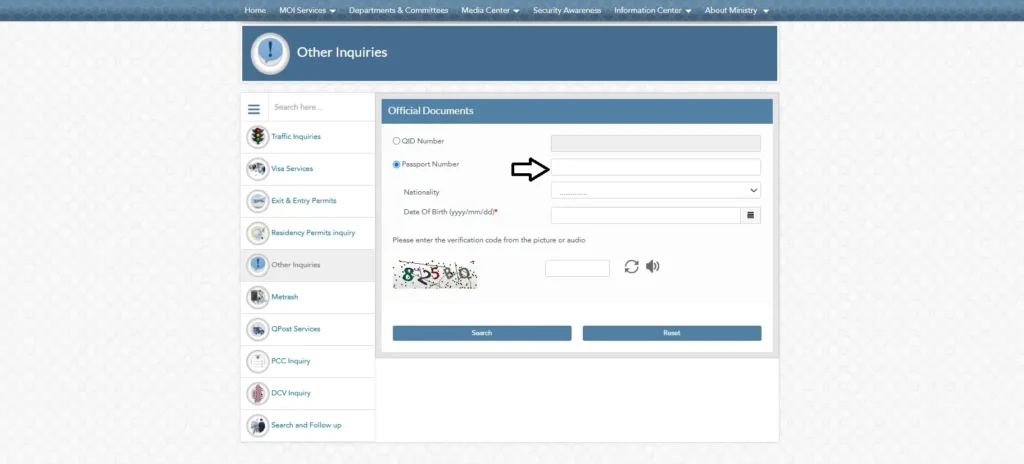
Step 3
Open the Nationality dropdown menu. Select your nationality from the list
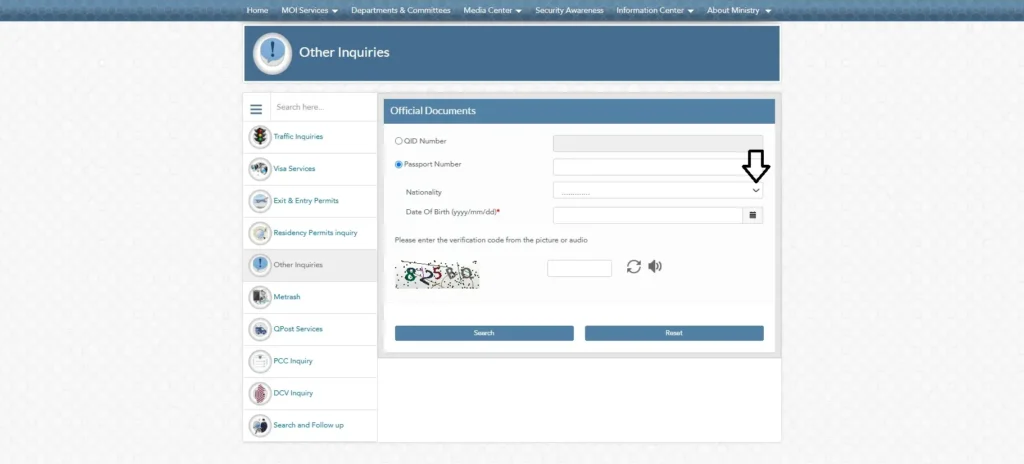
Step 4
Look at the verification code (captcha) shown in the image. Type that code into the verification box
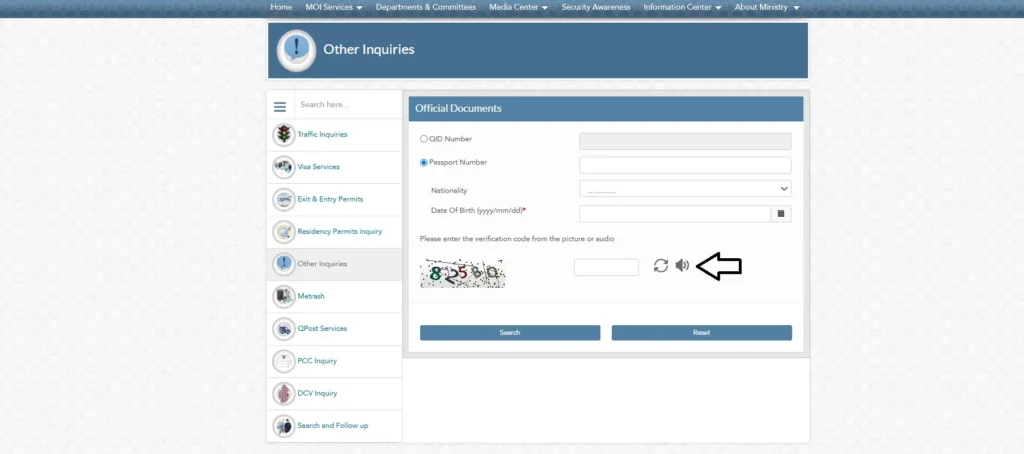
Step 5
Click Search to view your current status
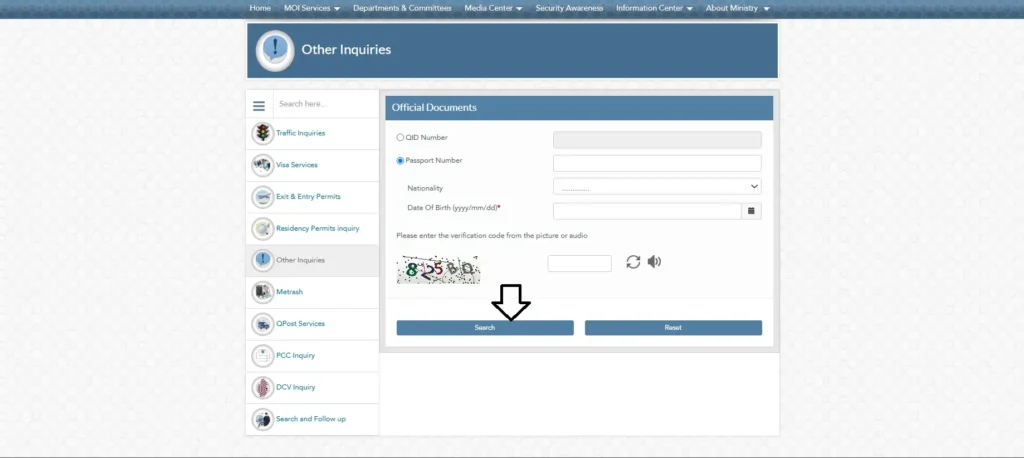
Keep in mind this method only works reliably before your QID is fully issued. For the most accurate outcome, the system often looks for the QID number itself once your card is operational.
Method 3: Check Your QID Using the Metrash App
If you’d rather not deal with a browser and captcha at all, Qatar’s official Metrash app puts the same information in your pocket.
Important update: MOI retired the older Metrash2 app on 1 March 2025. If you still have “Metrash2” installed, it no longer receives updates and won’t work reliably, uninstall it and download the current Metrash app instead. Your existing QID login details carry over, so there’s no need to register from scratch if you were already using Metrash2 before the switch.
Step 1
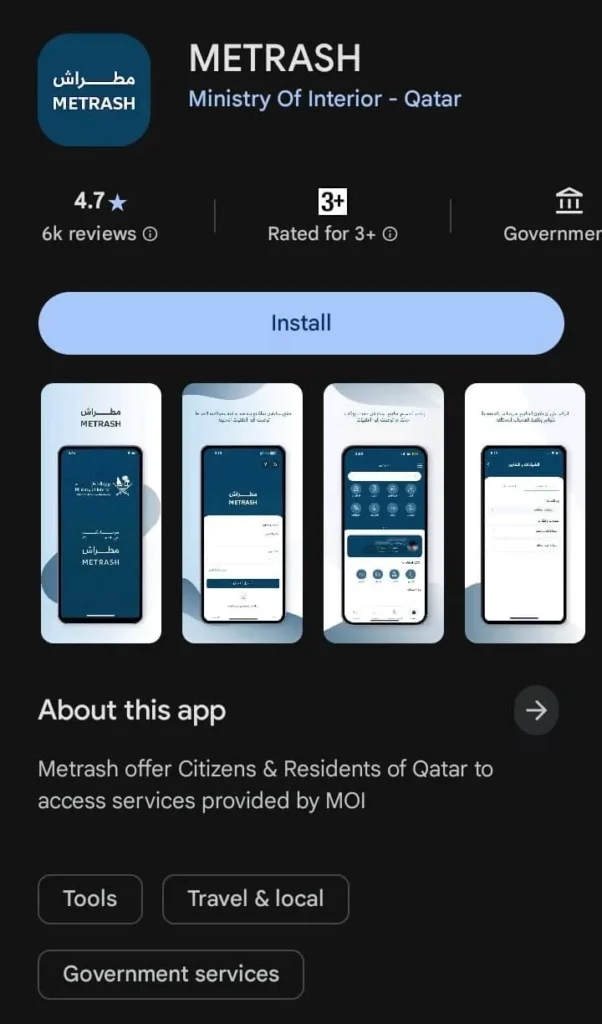
Open the Google Play Store (Android) or Apple App Store (iPhone) on your phone. Search for Metrash and download the official app published by Qatar’s Ministry of Interior, double-check it’s the current app and not the discontinued Metrash2 listing
Step 2
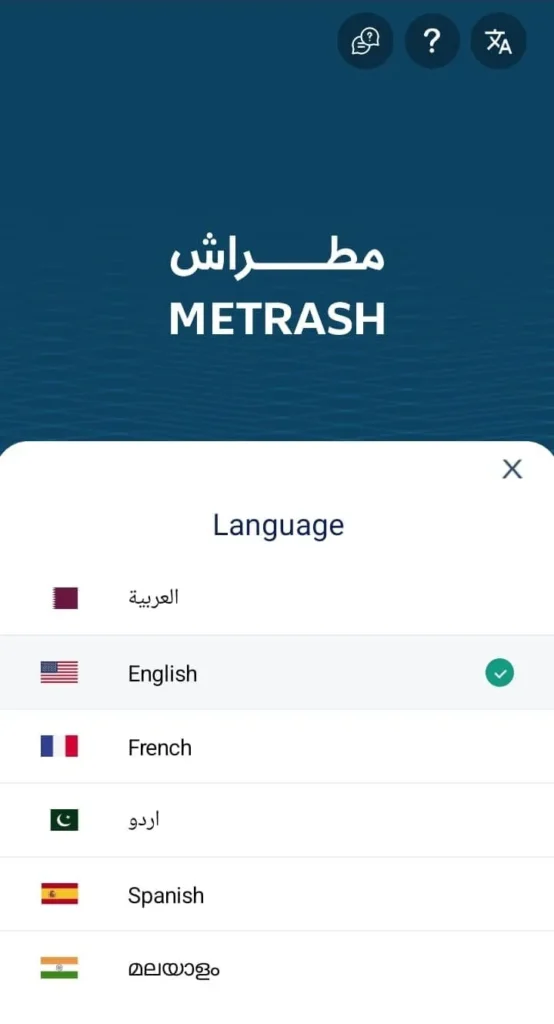
Open the app once installation is complete. On the opening screen, tap the language option, usually found in the bottom right corner, and select your preferred language from the list (English, Arabic, and a few others are available)
Step 3
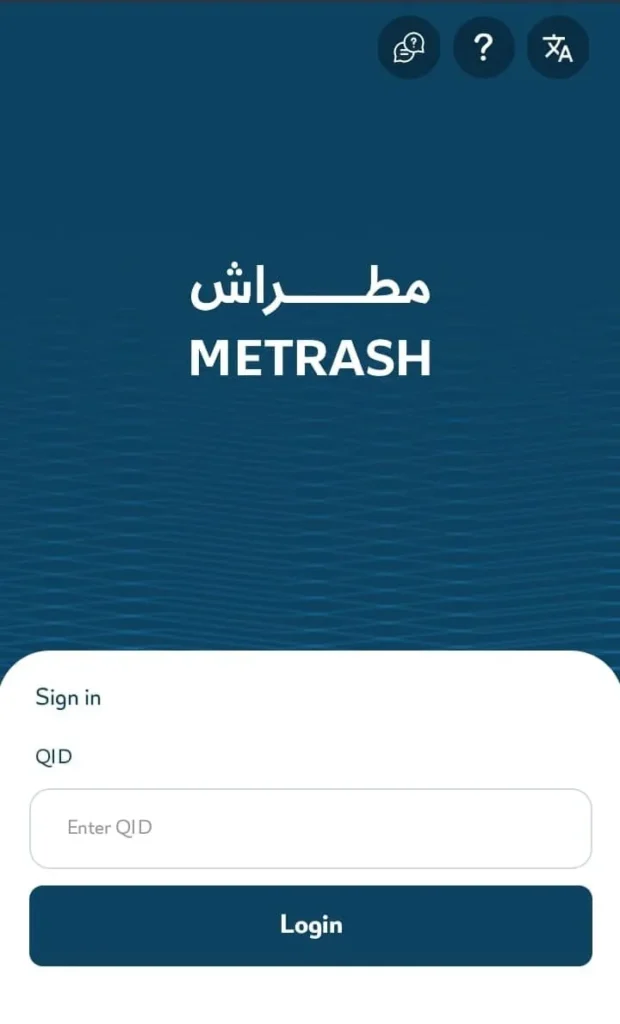
Once your language is set, log in with your QID number and PIN, or use Face ID if your phone supports it and you’ve enabled it under the app’s security settings
Step 4
On the home screen, tap the Wallet tab, on some app versions this sits inside your Profile menu instead, so check there if you don’t see it directly
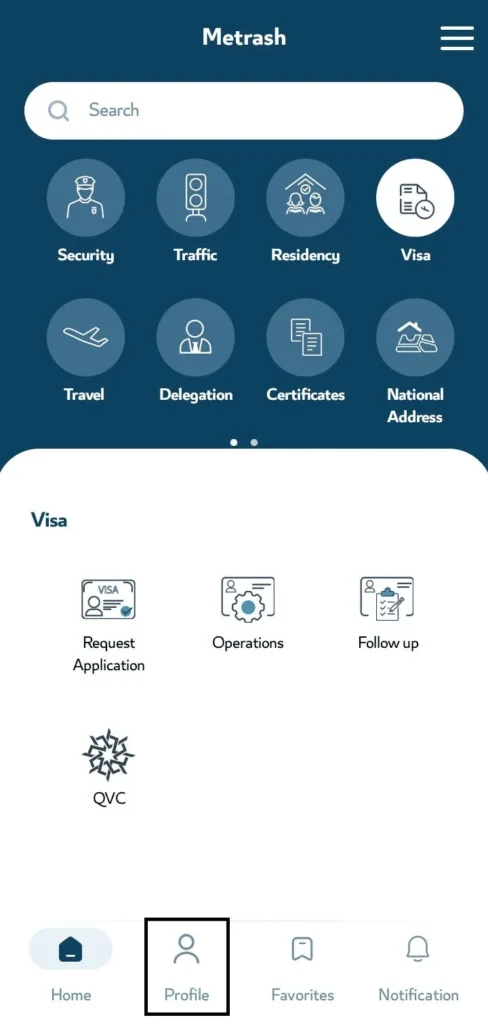
Step 5
Inside the Wallet, select the Qatar ID option, this displays your ID’s expiry date, residency validity, and other key details drawn directly from MOI’s records
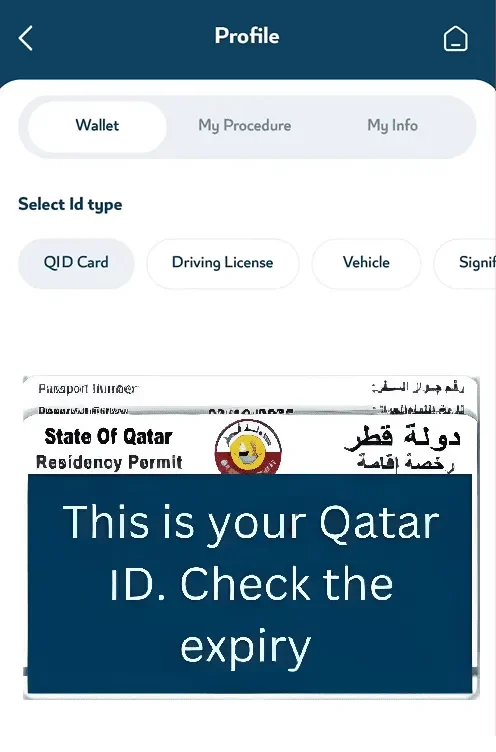
If you forget your PIN, the app’s login screen has a reset option that verifies your identity through an OTP sent to your registered mobile number, no need to visit a service centre for that alone.
The app is also where most residents end up checking related things like visa status or vehicle registration once they’re set up, so it’s worth having installed regardless of which check method you use today.
Method 4: Check Your QID by SMS, No App or Login Needed
If you just need a quick status check without opening any app, send your 11-digit QID number by SMS to 92992 from the mobile number registered under your ID. You’ll receive an automated reply showing your Qatar ID’s current status and expiry date. This is the fastest option when you’re out and about with limited data, though it gives you less detail than the app or portal.
Quick Comparison: Which Qatar ID Check Method Should You Use?
Understanding Your Result
Once your details come back, you’ll typically see one of a few outcomes:
- Active and valid: Your card is current, no action needed
- Nearing expiry: A renewal window is approaching, plan ahead rather than waiting until the last week
- Expired: The card is no longer valid and needs renewing before you use it for official transactions
- No record found: Either your card hasn’t been issued yet, or a detail you entered doesn’t match MOI’s records exactly
If your result shows an unexpected status and you’re mid-application, it can also help to cross-check your broader visa progress through our MOI Qatar visa check guide, since a delayed visa step sometimes explains a QID that isn’t showing up yet.
Common Errors During a Qatar ID Check and How to Fix Them
- Wrong digit count: The QID number must be exactly 11 digits, no spaces or dashes
- Name or nationality mismatch: If your passport was renewed recently, make sure the nationality field matches what MOI has on file, not just what’s printed on your current passport
- Captcha not loading: Try a different browser or clear your cache, this is a common but easily fixed glitch on government sites during high-traffic hours
- Repeated “no record found”: If you’re certain your details are correct and this persists for more than a few days, visit an MOI Service Centre in person with your passport and any application receipt you have
Frequently Asked Questions
Can I check my Qatar ID with just my passport number?
Yes, but only reliably before your QID card has been fully issued. Once it’s active, use the QID number method for the most accurate result.
How long does it take for a new QID to show up in the system?
This varies by visa category, but most residents can check their status within a few days of completing biometric enrollment. If it’s been over two weeks with no change, it’s worth visiting a service centre directly.
Is the Qatar ID check service free?
Yes. Both the MOI portal and Metrash app inquiry services are completely free to use.
What’s the difference between checking my QID and checking my visa status?
Your visa status reflects whether your entry permit or residency application was approved. Your QID status reflects the physical card itself, its validity and expiry. Once your visa is approved, our complete Qatar Visa Check breaks down both processes side by side if you’re not sure which one applies to your situation.
Is Metrash2 still available, or do I need a different app now?
Metrash2 was officially discontinued by MOI on 1 March 2025 and replaced by the new Metrash app. If you still have the old Metrash2 app on your phone, it no longer receives updates and may not function correctly, download the current Metrash app instead. Your existing QID and PIN login details carry over automatically.
Can I use the QID check to see if my card needs renewal soon?
Yes, the expiry date shown in your result is the most reliable way to plan ahead rather than discovering it’s expired at an inconvenient moment.
For the most current version of this service, including any changes to the inquiry steps, always verify directly through the official Ministry of Interior portal at moi.gov.qa or Qatar’s official government services platform, Hukoomi.